
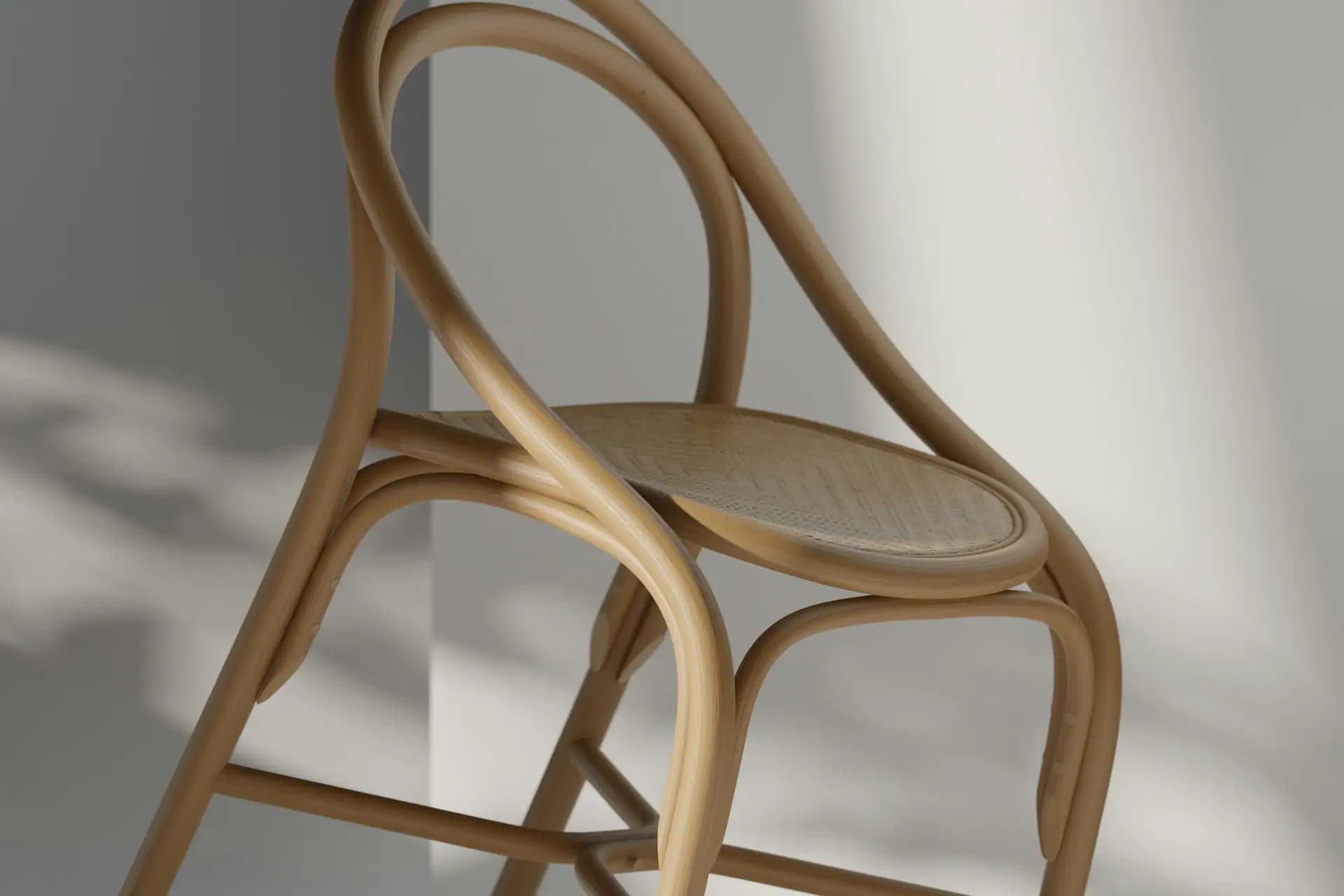
3D Configurator Development
3D Configurators That Let Customers Build Their Own Product
Photos can't show ten thousand possible combinations, and customers rarely buy what they can't picture. We build fast, browser-based 3D configurators that let people design the product they want and see the price as they go.
Book a Free Consultation
When A Product Has Too Many Options To Photograph
- Runs in any modern browser
- Live pricing and rules
- Works on mobile
- Connects to your store or ERP
Customisable products have a sales problem. A sofa with twenty fabrics, four leg styles and three sizes has hundreds of combinations, and nobody can photograph them all. So customers are left trying to imagine the result, staff spend their days answering questions, and orders come back wrong because what was pictured isn't what was ordered.
A 3D configurator solves that by letting customers see their exact choice, from every angle, in the browser with no download. They can change the colour, swap a part or add an option and watch it update immediately, with the price recalculating as they go. It turns a confusing list of options into something people actually enjoy using, and a sales conversation that once took days can take minutes.
The hard part isn't drawing a 3D model. It's making a detailed model load quickly on an ordinary phone while still looking convincing, and making sure that every combination on screen is one you can really make. So we plan your product's rules alongside its visuals, covering which options work together, how the price is calculated, and how the finished specification reaches your order or production system.
We build with WebGL and Three.js, optimising models and textures so they load quickly, and we design a simple interface that doesn't overwhelm anyone. We can add augmented reality so that customers can place the product in their own room, and we connect the configurator to Shopify, WooCommerce or your own systems. If you already have CAD files, we can often start from those.
3D Configurator Development Services
Everything needed to turn your product into an interactive experience.
- 01
Product Configurators
Custom browser-based tools where customers choose materials, colours, sizes and parts, seeing each change on a realistic model right away.
- 02
3D Model Preparation
Converting your CAD files or building new models, then simplifying them so they look great yet load quickly on the web.
- 03
Rules & Pricing Engines
Logic that stops impossible combinations and calculates accurate prices, based on your real options and costs.
- 04
Augmented Reality View
Letting customers see the product in their own space through their phone, with no app to install on supported devices.
- 05
Ecommerce Integration
Adding finished designs straight to a Shopify, WooCommerce or custom cart, along with the full specification.
- 06
Quote & CPQ Tools
For B2B products, turning configurations into quotes that go straight to your sales team or CRM.
- 07
Production Output
Generating specifications, parts lists or drawings for your factory, so that what's ordered is what gets made.
- 08
Visualisers For Showrooms
Large-screen and tablet versions for sales teams and showrooms, reusing the same models and rules.
What Makes A Configurator Work
Three things decide whether customers actually use one.
- 01
It Loads Fast
A beautiful model nobody waits for is wasted. We optimise heavily and show something useful straight away.
- 02
It's Always Buildable
Rules ensure that each combination shown is one you can really make and sell.
- 03
It's Simple To Use
One decision at a time, with clear steps, so customers enjoy the choosing instead of feeling lost.
Configurator Capabilities
What can be built into your tool, according to what you sell.
Real-Time Rendering
Instant visual feedbackMaterials, lighting and parts update as soon as an option is chosen, with realistic surfaces, in the browser.
In practice
A furniture maker could let customers switch between fabric swatches and see the texture change on the sofa immediately.
Dimensional Configuration
Made to measureProducts that change shape with the customer's measurements, with the model and price both recalculated.
In practice
A kitchen company could let customers enter room dimensions, then see cabinets rearrange to fit the space.
Saved & Shared Designs
Decide togetherUnique links, images and PDF summaries that customers can save, share with others and come back to later.
In practice
A couple choosing a kitchen could send a link to each other, and bring the saved design to a showroom appointment.
Sales Team Tools
Faster, more accurate quotesA sales version with trade pricing and quote generation, reducing errors from manual specification.
In practice
A machinery manufacturer's sales team could build a compliant specification during a customer call and send a quote the same day.
Is Your Product A Good Fit?
Tell us what you sell and how many options it has. We'll tell you whether a configurator makes sense and what the first version could include.
Check My ProductHow We Build Your Configurator
Rules first, then visuals, then the connection to your business.
- 01
Product Workshop
We map your options, rules, pricing and how orders are fulfilled.
- 02
Visual Prototype
We test one model on real devices, to agree the visual quality and load time.
- 03
3D Asset Creation
We prepare models and materials from your CAD files or from scratch.
- 04
Interface & Logic
We build the steps, rules and price calculations, tested with real users.
- 05
Integration
We connect your store, CRM or production system, including order details.
- 06
Launch & Measure
We launch, track where people drop off and improve from there.
How We Build In 3D
The tools behind fast, realistic configurators.
- Three.js
- WebGL
- React Three Fiber
- glTF
- Blender
- CAD Import
- Substance
- Draco
- React
- Next.js
- TypeScript
- Node.js
- Shopify
- WooCommerce
- Stripe
- HubSpot
Products That Suit A Configurator
It works best where choice is high and mistakes are costly.
- 01
Furniture
Fabrics, finishes and sizes that photographs can't cover.
- 02
Kitchens & Bathrooms
Made-to-measure spaces and many coordinated choices.
- 03
Vehicles
Trims, colours and accessories, for dealers and manufacturers.
- 04
Machinery
Complex B2B options with rules and specification output.
- 05
Jewellery & Watches
High-value personal choices, with close-up detail.
- 06
Footwear & Fashion
Custom colours and materials, mainly for direct sales.
- 07
Sports Equipment
Personalised bikes, boards and team kits.
- 08
Building Products
Windows, doors and cladding, made to measure.
Where A Configurator Earns Its Cost
The benefit comes from three places. Customers who can see their exact product feel more confident buying it, especially at higher prices. Sales teams spend less time on back-and-forth questions and are able to quote faster. And orders are specified correctly, which reduces costly returns and production errors, an advantage that's often overlooked.
It's a real investment, though, and doesn't suit everything. If you have only a handful of options, good photography will do the job for far less. We'd rather tell you that at the start than sell you a tool you don't need.

Features Clients Ask For Most
The additions we're asked for most often.
AR View
See it in your own room on a phone.
Live Pricing
The cost updates with each choice.
Saved Designs
Links and PDFs to share and return to.
Add To Cart
Straight into your existing checkout.
How To Prepare For A Configurator Project
Start by writing out your options and rules as they really are. Which materials are available for each model? Which combinations can't be made? How is the price worked out, and what changes when an option is removed? Often this knowledge sits in the heads of a few experienced people, or in a spreadsheet only one person understands. Getting it written down is valuable in its own right, and it's the foundation of an accurate configurator.
Next, gather what you already have. CAD files, material samples, colour references and photographs of finished products all reduce the work needed and help the result look true to life. Consider which details matter most to your buyers. A fabric's texture may be crucial for a sofa, while a machine buyer cares about dimensions and fitted options. Spending on realism where it influences the decision, and less elsewhere, keeps the cost sensible.
Finally, pick your starting point carefully. Choose one product that sells well and has enough options to make a configurator worthwhile, but not your most complicated item. Decide what you'll measure, such as enquiries, average order value, returns or time spent quoting, and record those figures before launch. That way, you'll know whether it's working, and you'll have real evidence when deciding whether to extend it to the rest of the range.
How Much Does A 3D Configurator Cost?
Configurators fall in our Enterprise web development package and are priced on scope, since the work varies hugely with your product. We usually start with a small paid prototype of one product on real devices. That lets you see the quality and gives both of us a firm basis for pricing the full build.
A phased rollout works well here: launch one popular product, measure the effect on enquiries and sales, then add the rest of your range once it has proved itself.
See Our PackagesNumber Of Products
Each product family needs its own models and rules.
Visual Realism
Higher realism takes more modelling, materials and optimisation.
Rule Complexity
More dependencies between options mean more logic and testing.
Integrations
Passing orders to ERP or production adds work beyond the visuals.
Why Choose Us For 3D Configurators
What you can expect from working with our team.
Performance Comes First
We test on ordinary phones from the first prototype, not just on powerful laptops.
We Understand Commerce
Configurators connect to carts, pricing and orders, and our teams work on all of those.
Design And Engineering Together
3D artists, interface designers and developers work as one team.
Prototype Before You Commit
You'll see your own product working before funding the full build.
You Keep The Assets
3D models and code belong to you, and can be reused for marketing.
Honest Advice
We'll say so if good photography would serve you better.
What A Configurator Delivers
The practical differences to look for.
More Confident Buyers
People buy what they can see.
Fewer Mistakes
Only buildable products can be ordered.
Faster Quotes
Specifications without the back-and-forth.
Fewer Returns
What arrives is what they expected.
Reusable 3D Assets
Models you can use in ads and video.
Buyer Insight
See which options people really want.
Custom 3D Configurators FAQs
Do customers need to install anything?
No. The configurator runs in any modern web browser, on phones, tablets and computers, without a plugin or app.
How much does a 3D configurator cost?
Configurators fall in our Enterprise web development package and are priced on scope. It depends on the number of products, the realism you want and the rules and integrations involved. We often start with a small paid prototype.
Can you use our existing CAD files?
Usually, yes. CAD files are built for manufacturing rather than the web, so we convert and simplify them, keeping the look while making them light enough to load quickly.
Will it work on mobile phones?
Yes. We optimise models for mobile and test on ordinary devices throughout the project, not just at the end.
Can it connect to Shopify or our ERP?
Yes. Finished configurations can be added to a Shopify or WooCommerce cart, or passed to your ERP, CRM or production system with the full specification.
Can customers see the product in their own room?
Yes, on supported phones. We can add augmented reality, so that customers can place a true-to-scale model in their space without installing an app.
How long does it take to build?
A prototype usually takes a few weeks. A complete configurator for one product family often takes a few months, depending on the modelling and integrations required.
How is this different from your product animation service?
A configurator is interactive, and customers control it. Product animation under our Video & Animation services creates a finished film. The same 3D models can often be used for both.
Does a configurator suit every product?
No. It works best for products with many options, or high prices and costly mistakes. If you only have a few variations, photography may be better value, and we'll tell you if that's the case.

Have A ProjectIn Mind?
Tell us about your project — whether it's a website, an app, SEO or marketing.